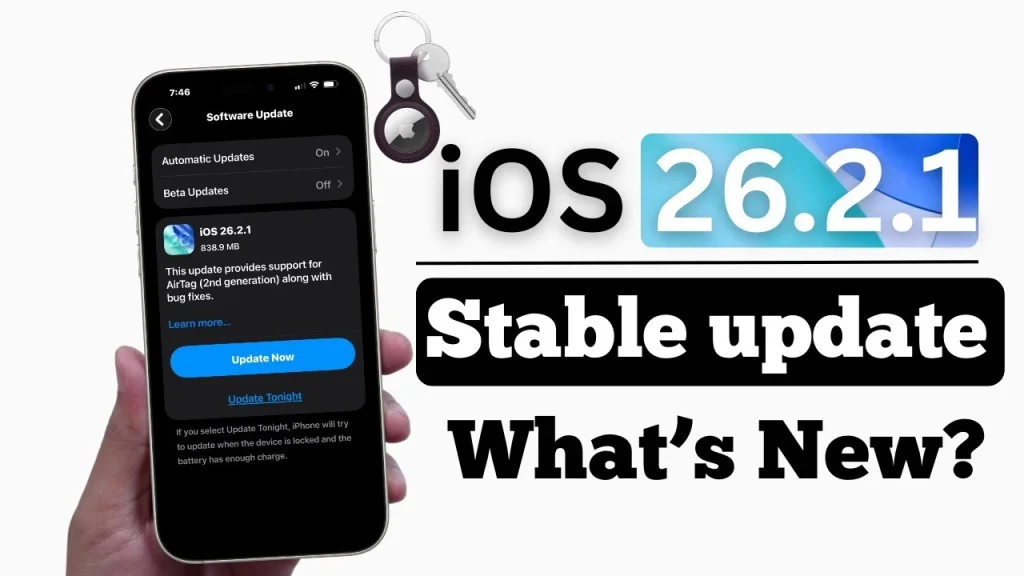
If your iPhone has recently started prompting you to install iOS 26.2.1, you’re not imagining things—and you’re definitely not alone. Apple has begun pushing this update aggressively to millions of users worldwide, and while it may look like a “minor” release, it carries important reasons that go beyond routine maintenance.
Unlike major iOS versions that introduce flashy design changes, iOS 26.2.1 is a targeted update. It focuses on three core areas: new hardware compatibility, system stability, and future readiness. Most notably, it enables full support for Apple’s newly announced AirTag (2nd generation)—a key reason Apple wants users to update sooner rather than later.
Let’s break down exactly why iOS 26.2.1 matters, what’s inside it, and whether you should install it now.
What Is iOS 26.2.1?
iOS 26.2.1 is a point release, meaning it builds on the existing iOS 26 platform rather than reinventing it. These types of updates usually focus on:
- Fixing bugs discovered after a major release
- Improving performance and reliability
- Adding support for newly launched Apple hardware
In this case, iOS 26.2.1 does all three.
While Apple’s official release notes are brief—as is typical—the timing of this update makes its purpose very clear.
The Biggest Reason: AirTag 2 Support
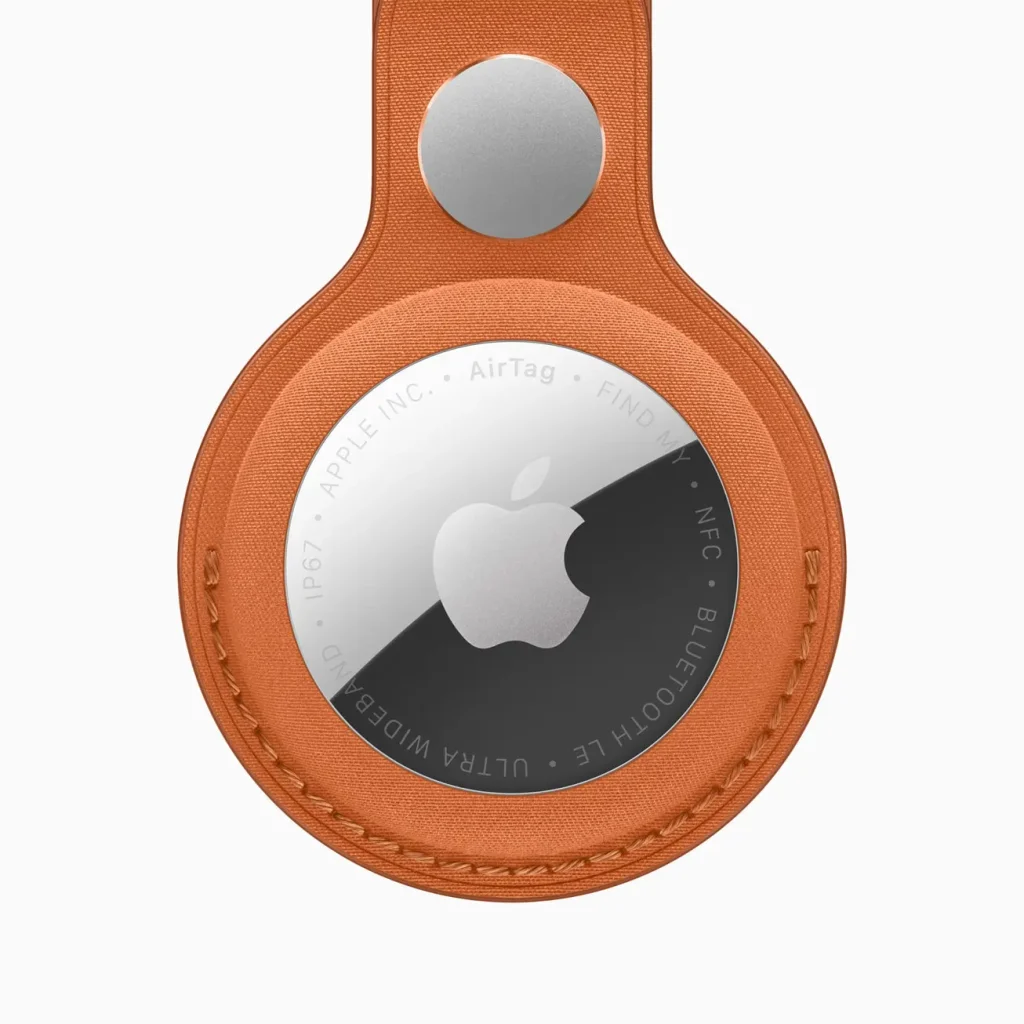
The most important reason Apple wants you to install iOS 26.2.1 is compatibility with the new AirTag (2nd generation).
Apple recently introduced a redesigned AirTag with meaningful upgrades, including:
- Expanded Precision Finding range, making it easier to locate lost items from farther away
- Improved speaker volume, helping users hear the AirTag more clearly
- Enhanced Find My performance, especially in dense or indoor environments
These improvements rely on updated system-level software. Without iOS 26.2.1, your iPhone cannot fully communicate with or take advantage of AirTag 2’s new capabilities.
If you:
- Plan to buy AirTag 2
- Already own one
- Or expect to interact with shared AirTags
then updating your iPhone is essential.
Stability and Bug Fixes You Don’t See—but Feel
Even if you never plan to use an AirTag, iOS 26.2.1 still matters.
Behind the scenes, Apple uses point updates like this to address issues that may not always make headlines but affect daily usage, such as:
- Random app freezes or crashes
- Minor UI glitches
- Background process inefficiencies
- System reliability problems introduced in earlier builds
Many users report that after installing such updates, their iPhones feel smoother, more responsive, and more consistent, even though nothing visually changes.
This is why Apple often recommends installing point releases even if you’re satisfied with your current setup.
Why Apple Is Pushing the Update So Actively
Apple doesn’t push updates aggressively unless there’s a strong reason. In the case of iOS 26.2.1, there are several strategic motivations:
1. Hardware Ecosystem Alignment
Apple’s ecosystem works best when hardware and software are in sync. With AirTag 2 entering the market, Apple needs iPhones to be ready.
2. Reduced Support Issues
Older iOS versions can cause compatibility complaints once new accessories launch. Updating users early minimizes customer frustration.
3. Preparing for iOS 26.3
Point releases often lay the groundwork for upcoming updates. iOS 26.2.1 likely includes backend changes that will support features or optimizations coming in iOS 26.3.
Does iOS 26.2.1 Improve Battery Life?
Apple rarely claims direct battery improvements in minor updates, but system optimizations and bug fixes can indirectly help battery performance.
If your battery drain was caused by:
- A background process bug
- App misbehavior
- System inefficiencies
then iOS 26.2.1 may improve overall battery stability—even if results vary from user to user.
Is iOS 26.2.1 Safe to Install?
Yes. iOS 26.2.1 is considered a stable public release, not a beta update. Unlike early major-version releases, point updates like this typically have:
- Lower risk of major bugs
- More predictable behavior
- Better compatibility with existing apps
That said, standard precautions still apply.
What to Do Before Updating
Before installing iOS 26.2.1, Apple recommends:
- Back up your iPhone (via iCloud or computer)
- Ensure at least 50% battery or connect to power
- Use a stable Wi-Fi connection
These steps help prevent data loss or interrupted installation.
Should You Update Right Now?
You should update immediately if:
- You plan to use AirTag 2
- You want maximum system stability
- You prefer staying current with Apple’s ecosystem
You can wait briefly if:
- Your phone is mission-critical for work
- You prefer to observe early user feedback
For most users, however, updating is the better choice.
Final Verdict: Why iOS 26.2.1 Matters
iOS 26.2.1 may look like a small update, but its importance shouldn’t be underestimated. It:
- Enables full AirTag 2 functionality
- Improves system stability and reliability
- Keeps your iPhone aligned with Apple’s future updates
- Reduces the risk of compatibility issues down the line
In short, Apple isn’t asking you to update just for the sake of it. iOS 26.2.1 is about keeping your iPhone secure, compatible, and ready for what’s next.
FAQs
What is the iOS 26.2.1 update?
The iOS 26.2.1 update is a minor but important Apple software release focused on system stability, bug fixes, and compatibility with newly launched hardware, including AirTag (2nd generation).
Why is Apple asking users to update to iOS 26.2.1?
Apple is pushing iOS 26.2.1 to ensure iPhones remain compatible with new accessories, fix known bugs from earlier versions, improve reliability, and prepare devices for upcoming iOS updates.
Does iOS 26.2.1 support the new AirTag 2?
Yes. iOS 26.2.1 is required for full AirTag 2 functionality, including improved Precision Finding range, louder sound alerts, and better Find My integration.
Does iOS 26.2.1 improve iPhone performance?
While it does not introduce major new features, iOS 26.2.1 includes background optimizations and bug fixes that can result in smoother performance and improved system stability.
Is iOS 26.2.1 a security update?
Apple has not listed major security patches publicly, but point releases like iOS 26.2.1 typically include security and reliability improvements that help protect user data and system integrity.
Will iOS 26.2.1 affect battery life?
Battery performance may improve indirectly if previous battery drain was caused by bugs or background system issues. Results can vary depending on device model and usage patterns.
Should I install iOS 26.2.1 immediately?
Yes, especially if you plan to use AirTag 2 or want the most stable and up-to-date iPhone experience. Users with mission-critical devices may choose to wait a few days for broader feedback.